Note
As of 10/20/2024, I haven’t found a way for @commit to work consistently so here is a workaround method.
Reference Article: https://tildehacker.com/git-commit-messages-cursor-ai
1. Stage your changes
git add <files>2. Get the diff
- Run this in the terminal in cursor
git --no-pager diff --cached3. Send output to Cursor AI
Option 1: Manual Copy
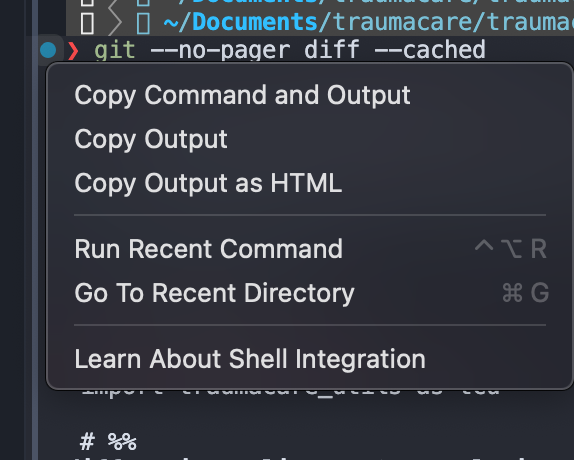
- Click on the blue dot and click
Copy Command Output - Copy patse it to your cursor chat window
Option 2: Shortcut
- In the terminal window, after you run step 2, just type
control + shift + L
4. Generate Commit Message
Template
Generate a complete Git commit message following the "Conventional Commits" specification.

Avoid obvious details, unnecessary explanations, and filler content.

Explanation: [Your explanation here]
Info
For simpler diffs use
cursor-smallFor complex diffs use
claude 3.5-sonnetorgpt-4o